To simplify your business software stack, map the workflows that create customer value, identify where information is copied or lost, document the job and owner of every tool, remove true duplication, and redesign handoffs around one authoritative source for each important record. Consolidate only when it improves the workflow and preserves necessary controls.
Look for workflow fragmentation, not an arbitrary app count
Too many tools may show up as repeated data entry, conflicting versions, missed approvals, forgotten subscriptions, customer context spread across inboxes, or work that only one person knows how to move. But a large stack is not automatically bad if each specialist system has a necessary role and reliable handoffs.
The deeper problem is fragmented context. Customer research informs a decision, but the decision never reaches the website brief. Marketing publishes an offer that operations cannot deliver. Support learns why customers are confused, but the product page never changes.
Map the business before the software
Choose three to five important flows, such as idea to validated offer, inquiry to customer, order to delivery, content to approved publication, and support request to resolved cause. For each, write the trigger, steps, owner, systems, data, approval, handoffs, result, and failure path.
Mark every copy-and-paste, export, manual re-entry, duplicate status, and “ask this person” step. Then distinguish inconvenience from risk. Re-entering a title may be annoying; losing consent, price approval, customer history, or the current product specification may be material.
Give every tool a clear job
Create one row per tool with owner, workflow, authoritative data, users, cost, renewal, integrations, export path, access controls, criticality, and replacement consequence. Then ask:
- Does it solve a current recurring problem?
- Is another tool already authoritative for the same job?
- What context enters, and what useful context leaves?
- Does the team use the capability you are paying for?
- Can you export the data in a usable form?
- What breaks if it is unavailable or removed?
Do not cancel a system because a feature appears elsewhere. Compare depth, reliability, history, permissions, contractual commitments, and migration cost.
Design around sources of truth and handoffs
Assign one authoritative home for customer identity, offer and price, product facts, financial record, approved content, task state, and operating procedure. Other tools may display or use that information, but ownership must be unambiguous.
Prefer a connected platform when several creation stages genuinely benefit from shared business context. Prefer a specialist when depth, regulation, scale, or a critical integration matters more. An integration is useful only if ownership, direction, error handling, and monitoring are understood.
Write a small rule for adding software: named problem, workflow owner, expected outcome, data involved, existing alternative, test period, exit path, and review date. This prevents a free trial from quietly becoming permanent infrastructure.
Simplify without breaking the business
- Back up and verify required exports.
- Document dependencies, permissions, retention, and contractual obligations.
- Choose a low-risk workflow or small user group.
- Run the new path in a controlled period with clear ownership.
- Compare completeness, errors, response time, and user effort.
- Move authoritative ownership only after verification.
- Remove access and subscriptions deliberately; keep required records.
Never paste secrets or private customer data into a new tool simply to test convenience. Apply appropriate security, privacy, access, and legal review to the information and market involved.
Measure the result after consolidation
Record a baseline for the chosen workflow: number of handoffs, duplicate entries, unresolved errors, time to find current information, subscriptions involved, and effort to complete one cycle. Repeat the measurement after the change. A lower app count is not a benefit if work takes longer or controls weaken.
Keep an exception list for specialist tools the business intentionally retains and the reason for each. Review the stack on a regular trigger—renewal, new workflow, material growth, or recurring failure—rather than launching constant migrations that become another source of disruption.
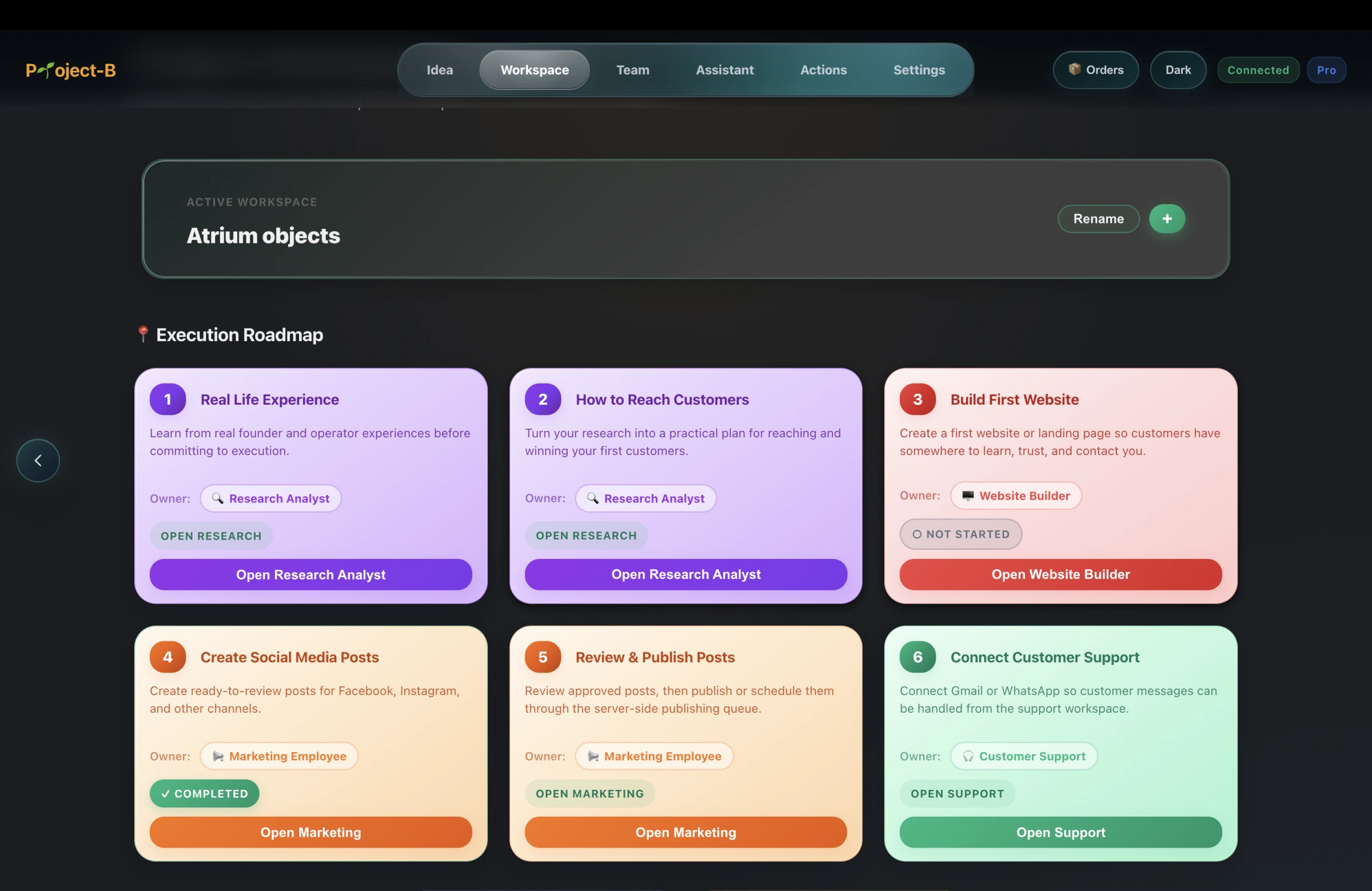
Where a Business Creation Platform changes the trade-off
Project-B by Inciver is a Business Creation Platform designed around one journey: Research it. Build it. Market it. Initial Feasibility, research, execution planning, website or store creation, marketing, Operations Planner, Customer Support, and the contextual Assistant can share a business-aware workspace.
That does not mean every specialist tool should disappear, or that Project-B replaces accounting, legal advice, industry systems, or every channel. Its relevant advantage is reducing handoffs across the creation journey. Evaluate it with the same workflow, control, data, and exit questions you would apply to any core business software.